
Class ends, work ends.
From timetable creation to NFC behavior recording
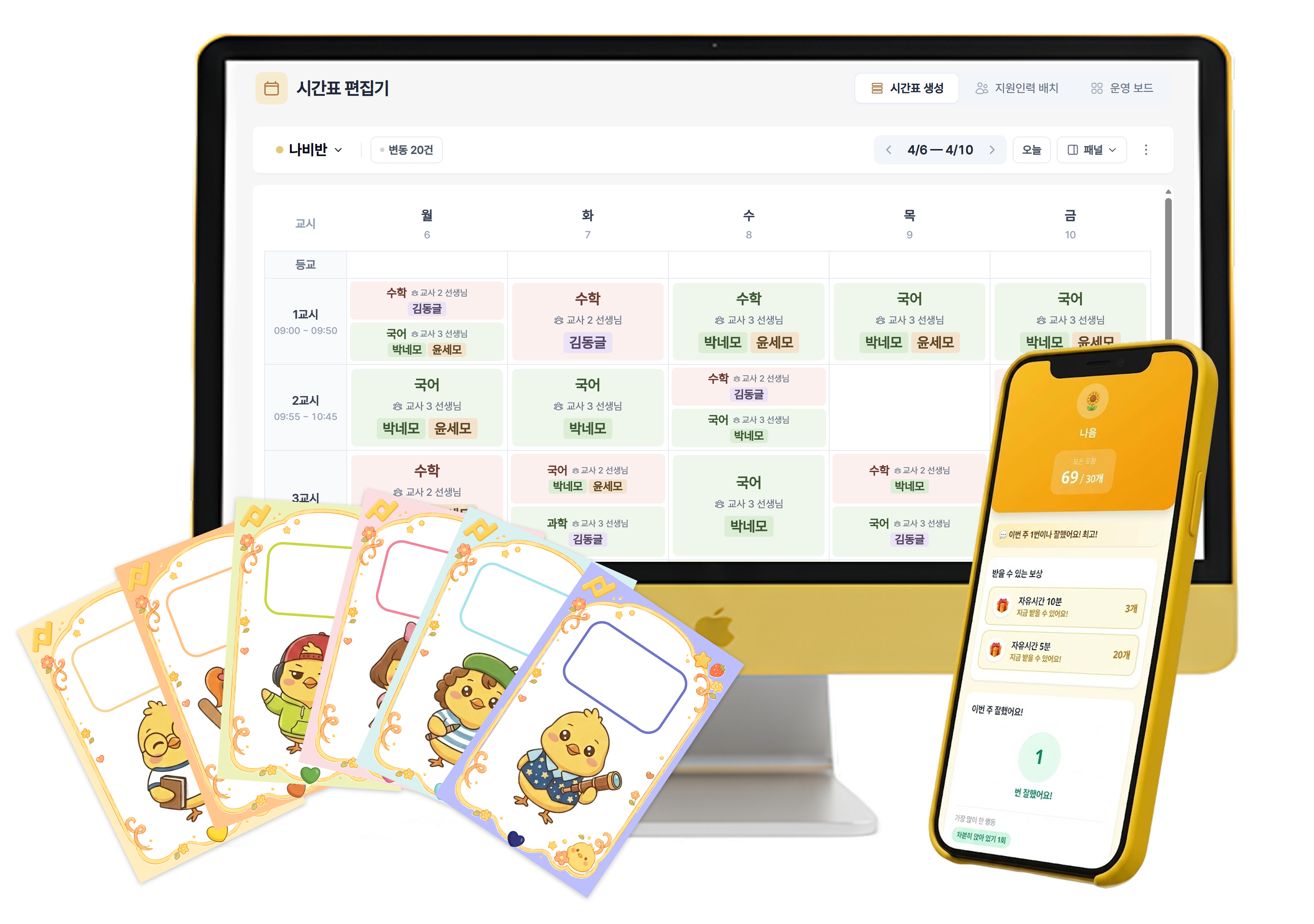
Testimonials
What Teachers Say
See the changes teachers experienced first
I wanted a more efficient way to collect timetables every week. The fact that it's a dedicated program designed for special education classrooms was a huge comfort and satisfaction!
Not having to organize timetables one by one really improved my efficiency! It used to take over an hour, but now I can get it done in 10 minutes.
Creating timetables is so much easier and saves a ton of time! Being able to upload weekly lesson plans all at once is amazing.
I was sure a special ed teacher must have built this! It was truly amazing how well it understands and addresses the real problems we face!
Sound familiar?
Classes, Students, Staff — All in Your Hands
Stop printing on paper. Experience the new world of click-to-assign.
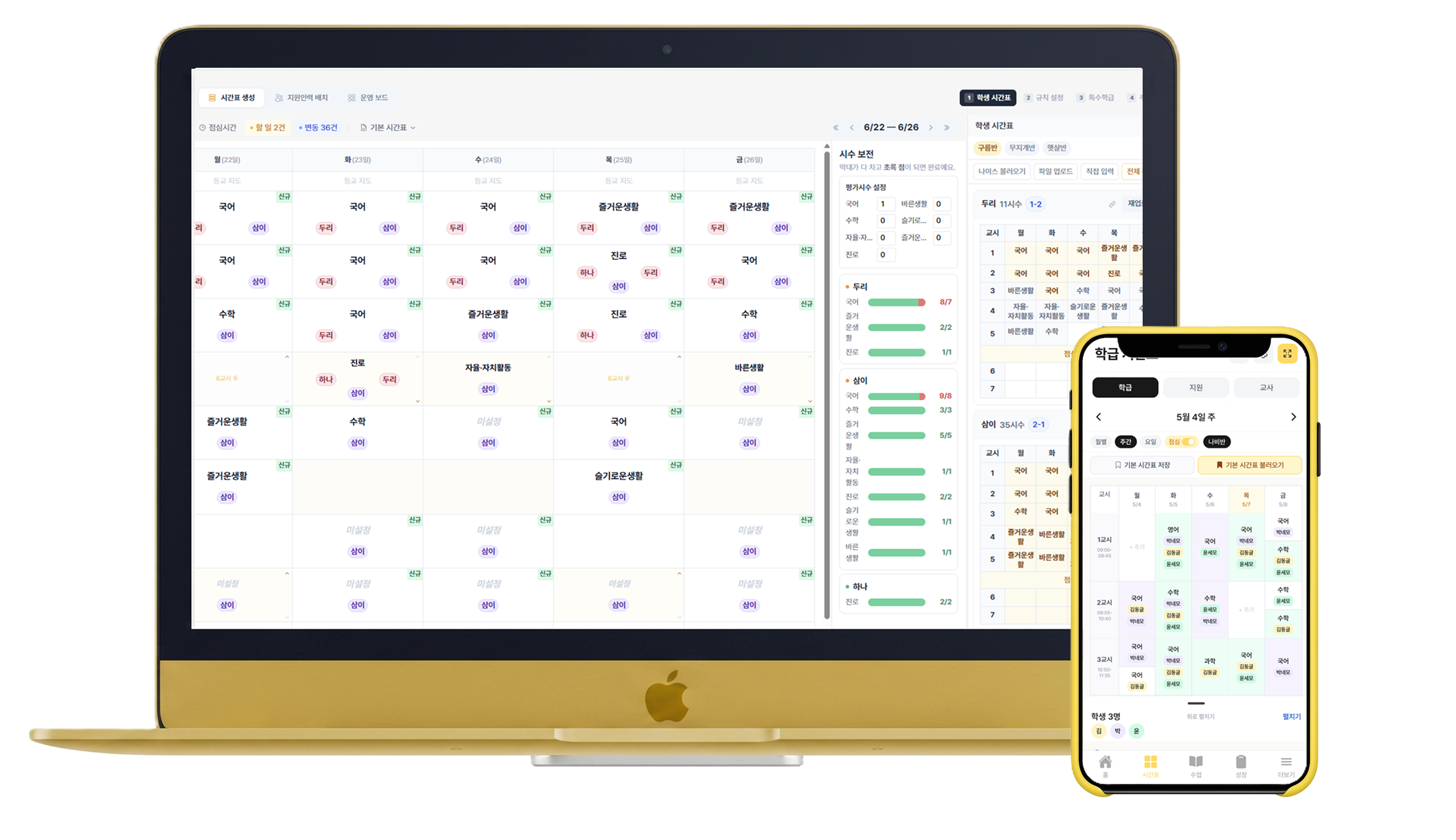
Digital Timetables
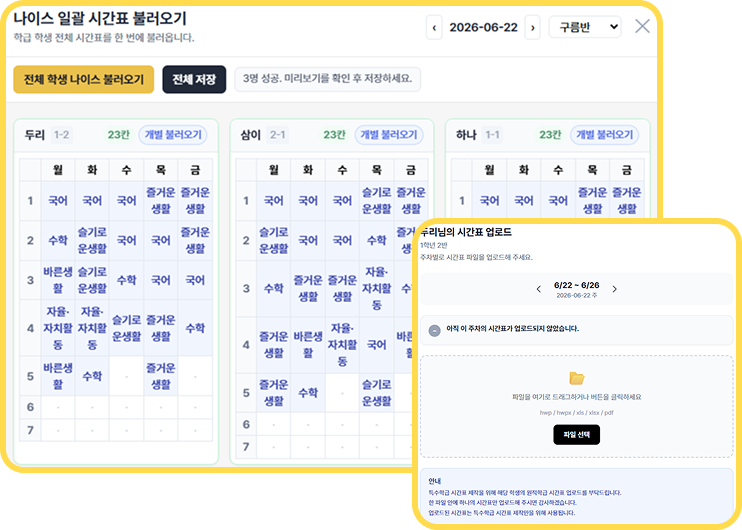
Regular Class
Regular class timetable, just upload and done
- Auto-import from NEIS
- Receive via shared links
- Auto-mapping for multiple files
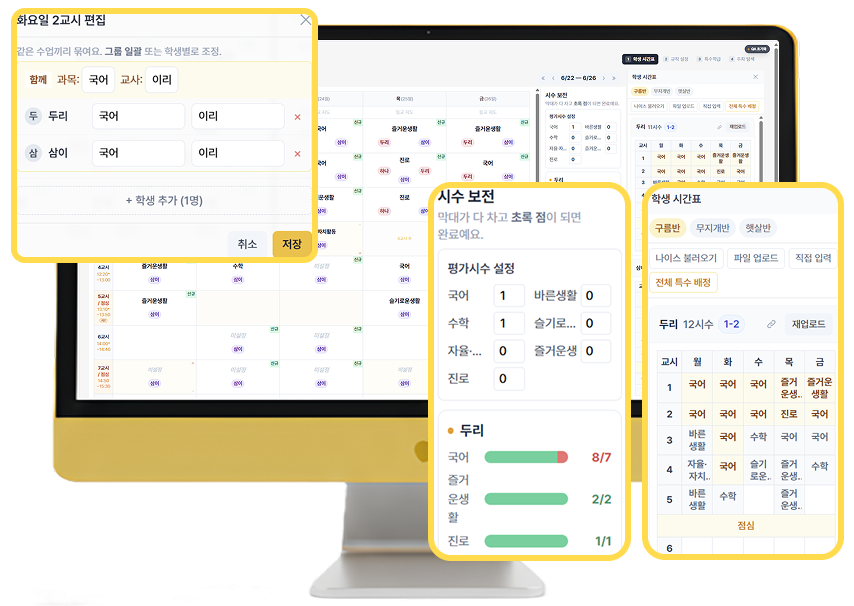
Class Timetable
Done in a few clicks! Easy class timetable
- Click cells to assign subjects
- Auto-sync school calendar for holidays and events
- Assign while viewing student schedule
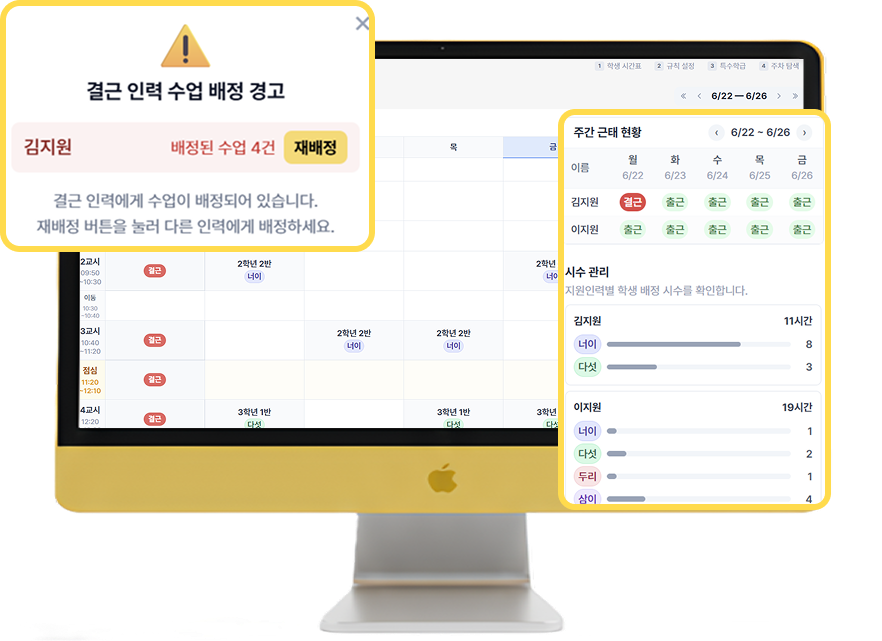
Support Staff
Auto reassign on absence! Easy staff scheduling
- Select student, auto-fill class info
- Attendance and hours at a glance
- Auto-reassign on sudden absence
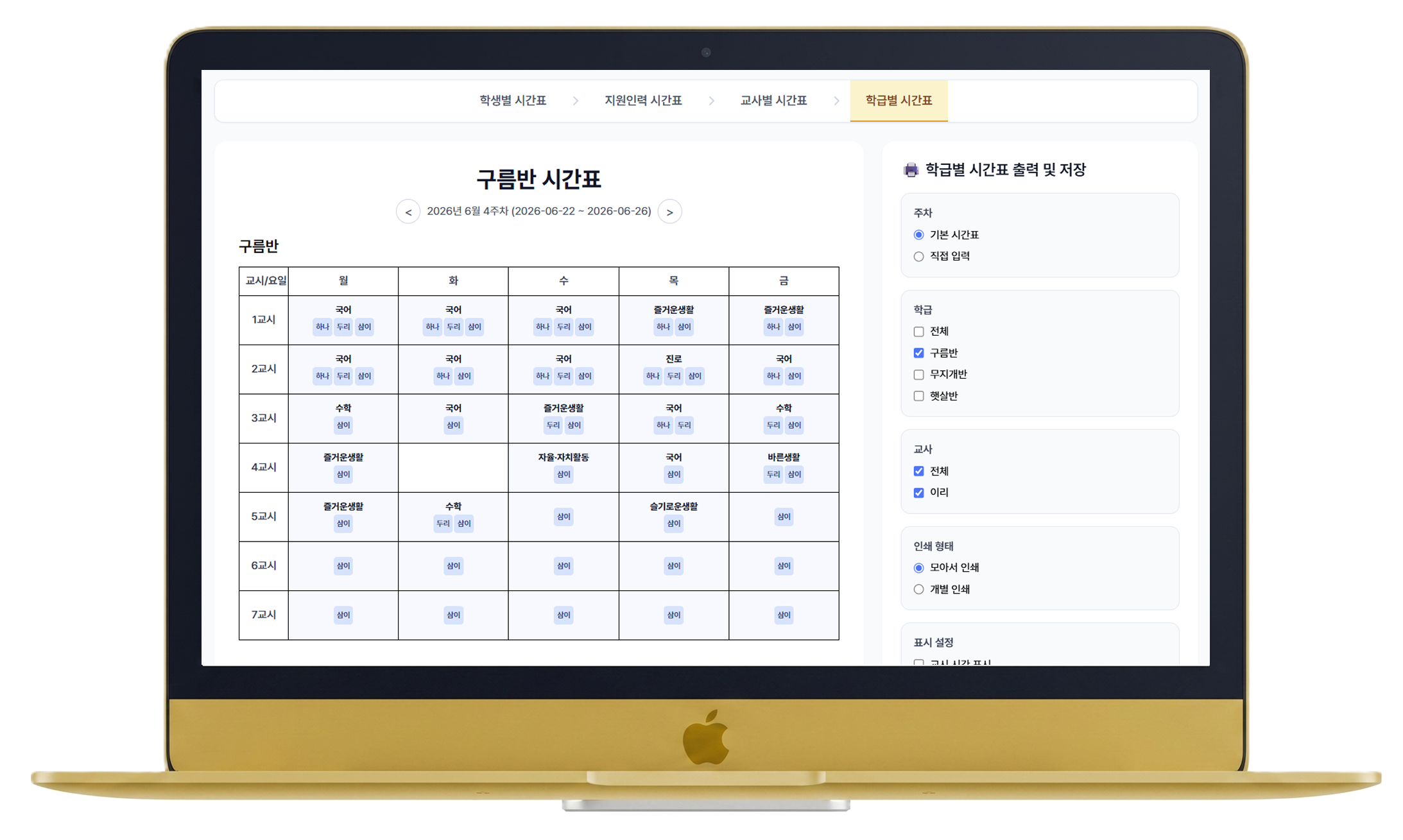
Pick exactly what you need — Print timetables
- Filter by student, class, teacher or staff for custom prints
- Auto-generated hour counts and statistics included
- Download PDF for NEIS upload or classroom posting at once
Not just timetables
Struggling with observation records?
No more after-work logging.
Everything wraps up during class
One NFC card handles observation, rewards, and analysis.
Recording that never disrupts your class flow — all for free.
Before
- Log behaviors from memory after class
- Students get feedback much later
- Recording work lingers after hours
Class Mode
- Tag behaviors in real-time during class
- Students see rewards instantly → efficacy UP
- Class ends, recording ends. Zero after-work
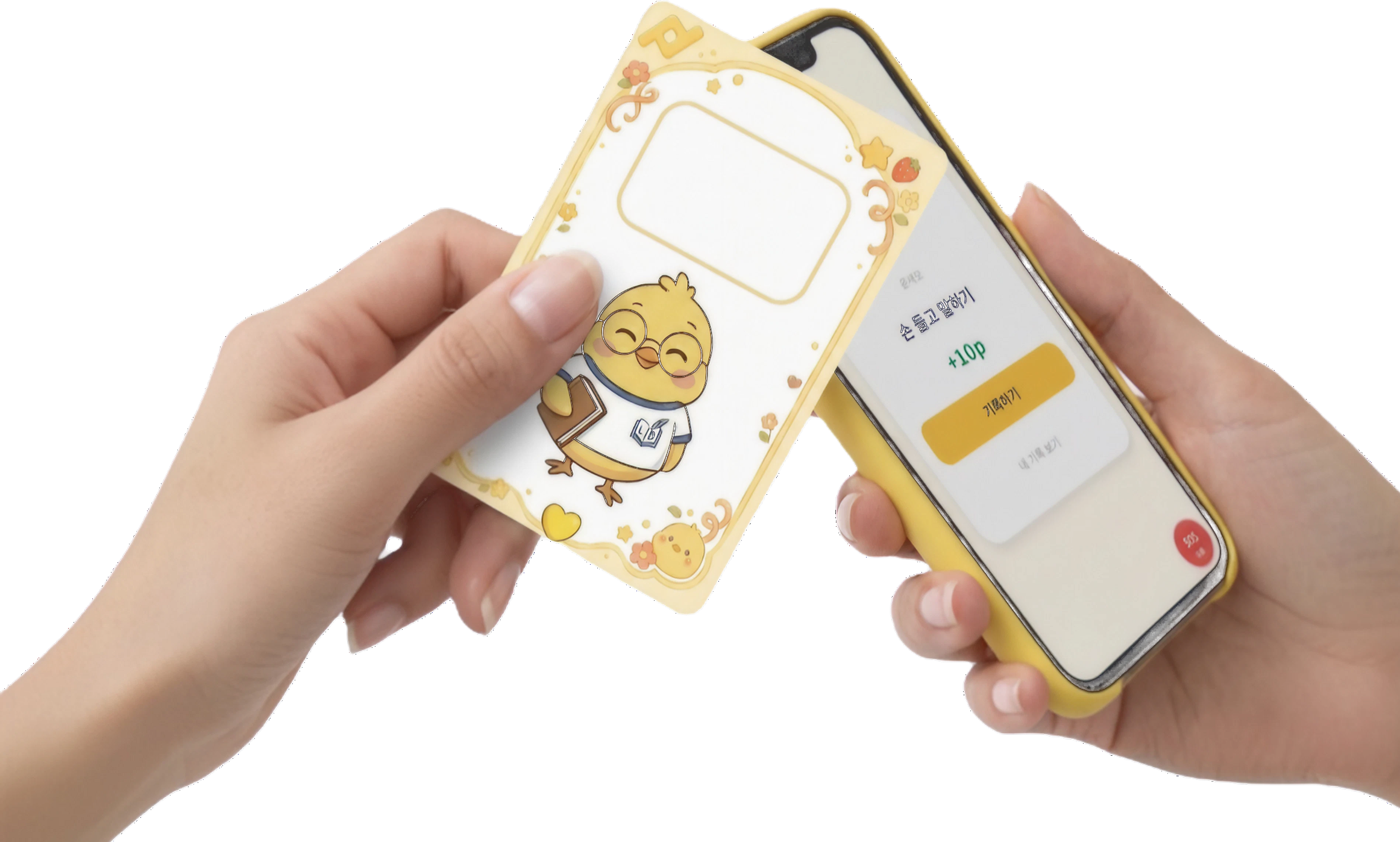
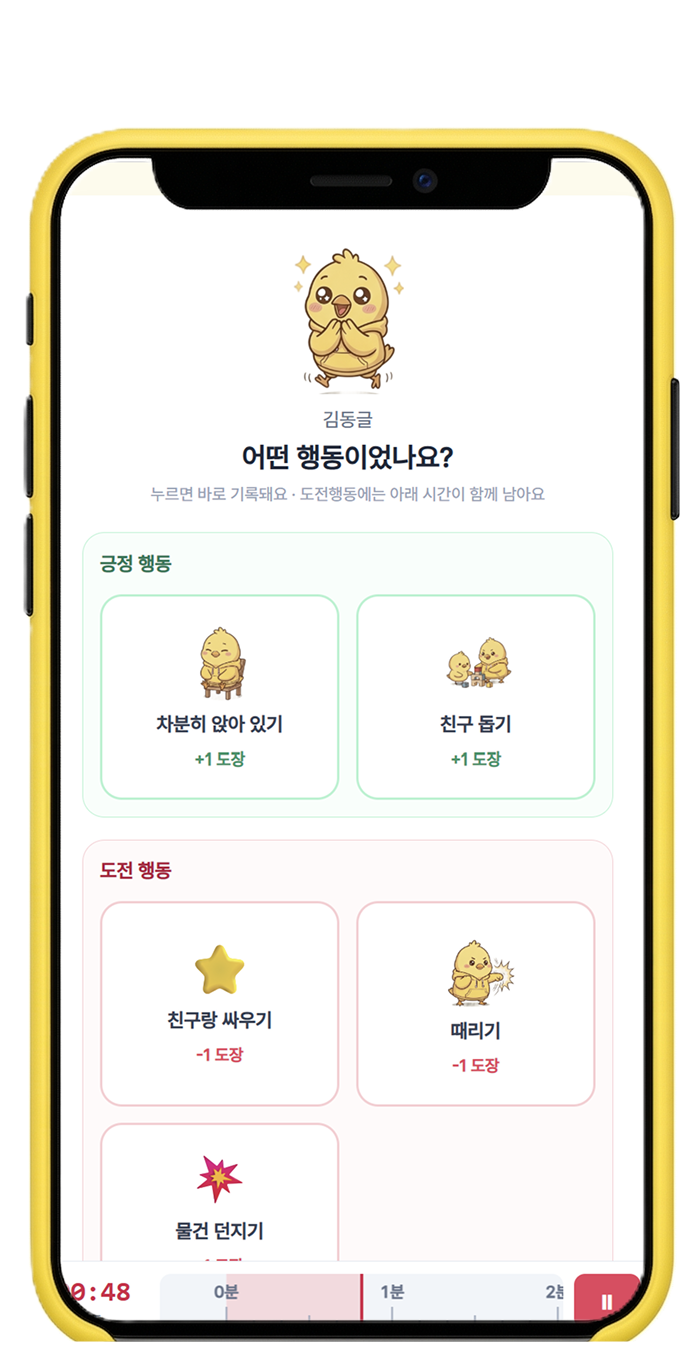
In-Class Recording
One tap, observation done!
- Log positive & challenging behaviors with one touch
- Auto-measure duration for challenging behaviors
- Freely customize behavior options for your class
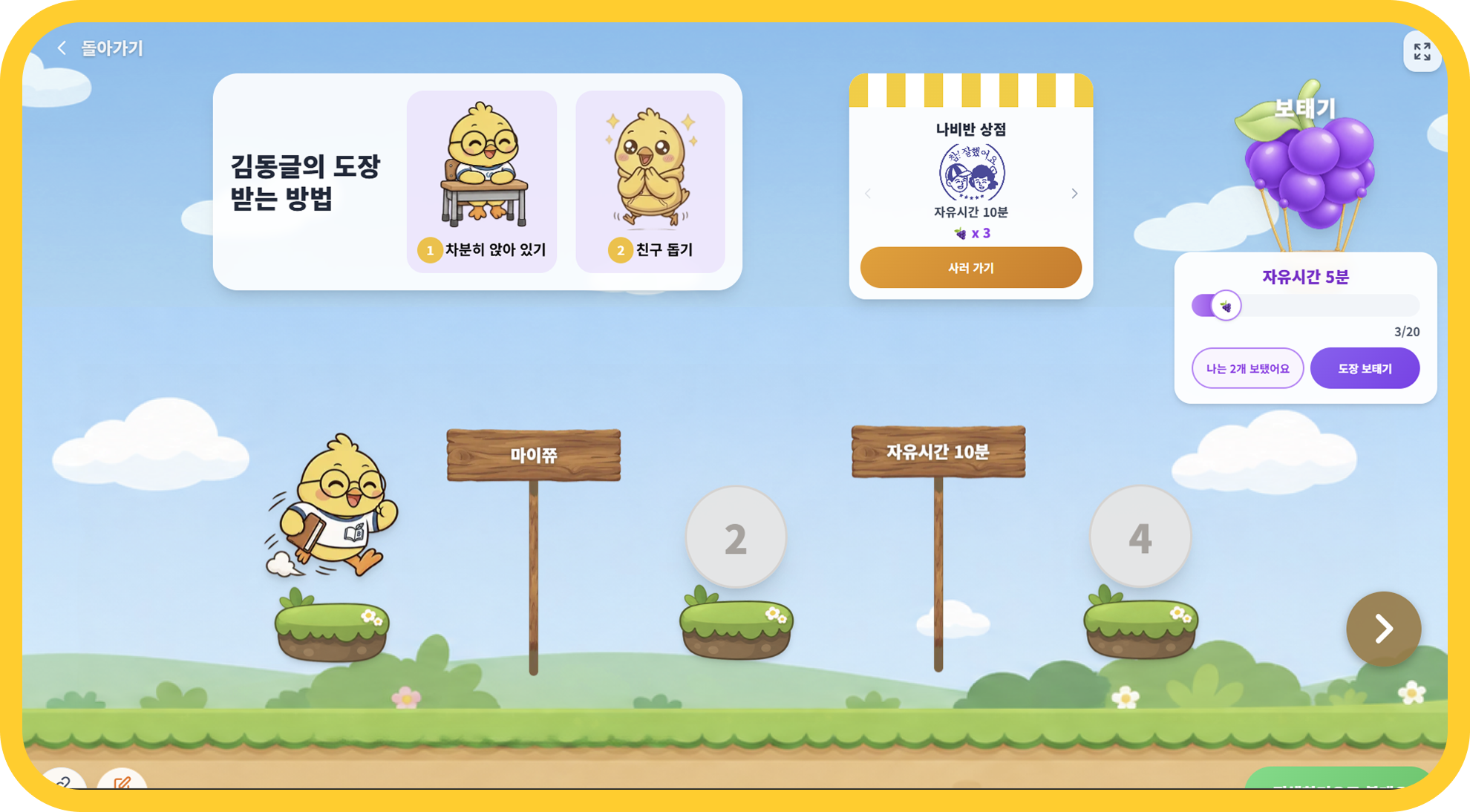
Student View
A screen students call their own!
- Display on smart boards and tablets in the classroom
- Personalized screens for each student and class
- Integrated with class currency for a full reward system
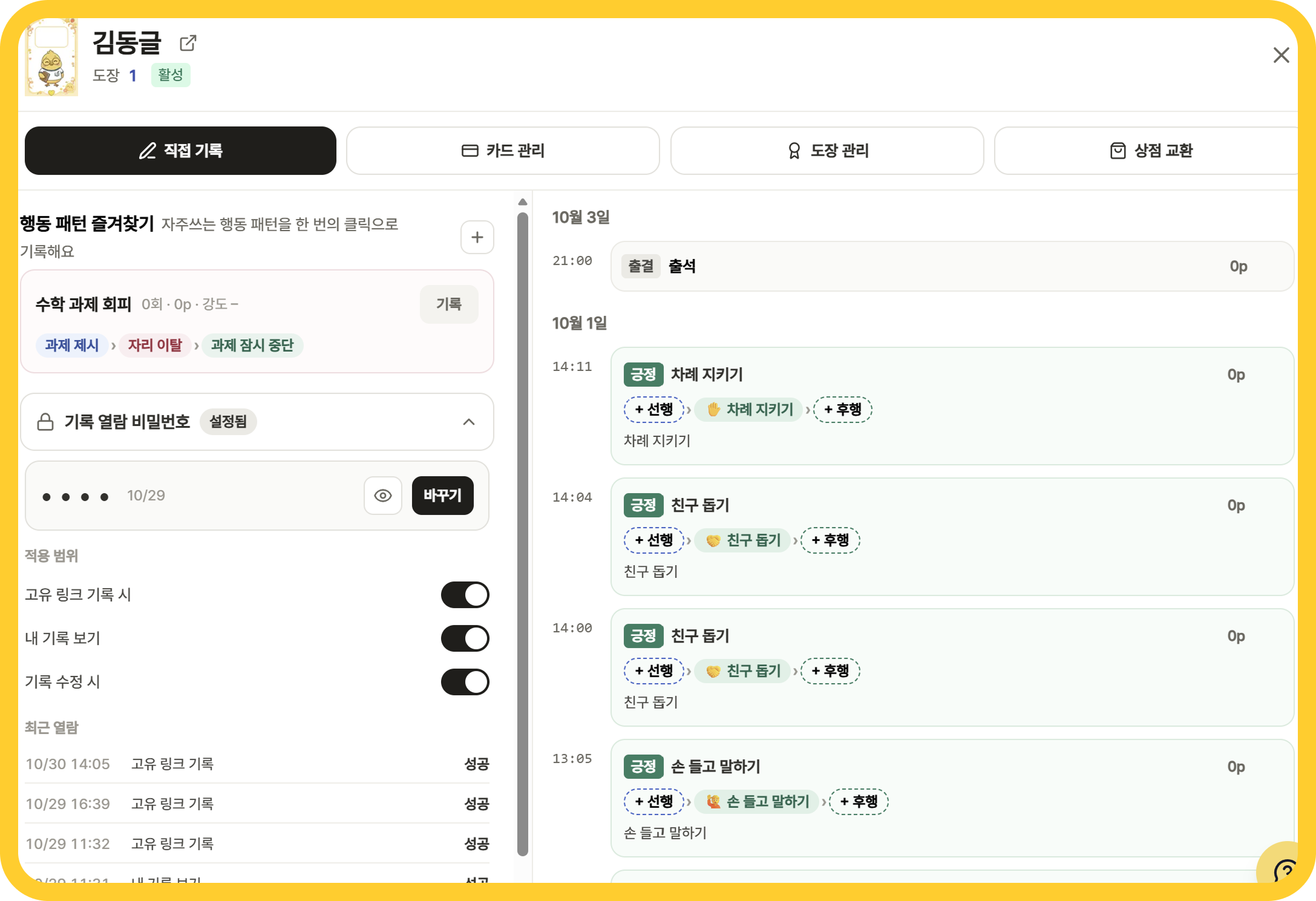
Smart Record Management
Frequent records? Save as patterns!
- Save behavior patterns as favorites for one-touch logging
- Edit timestamps and add notes for full context
- Record antecedents and consequences to build cumulative records
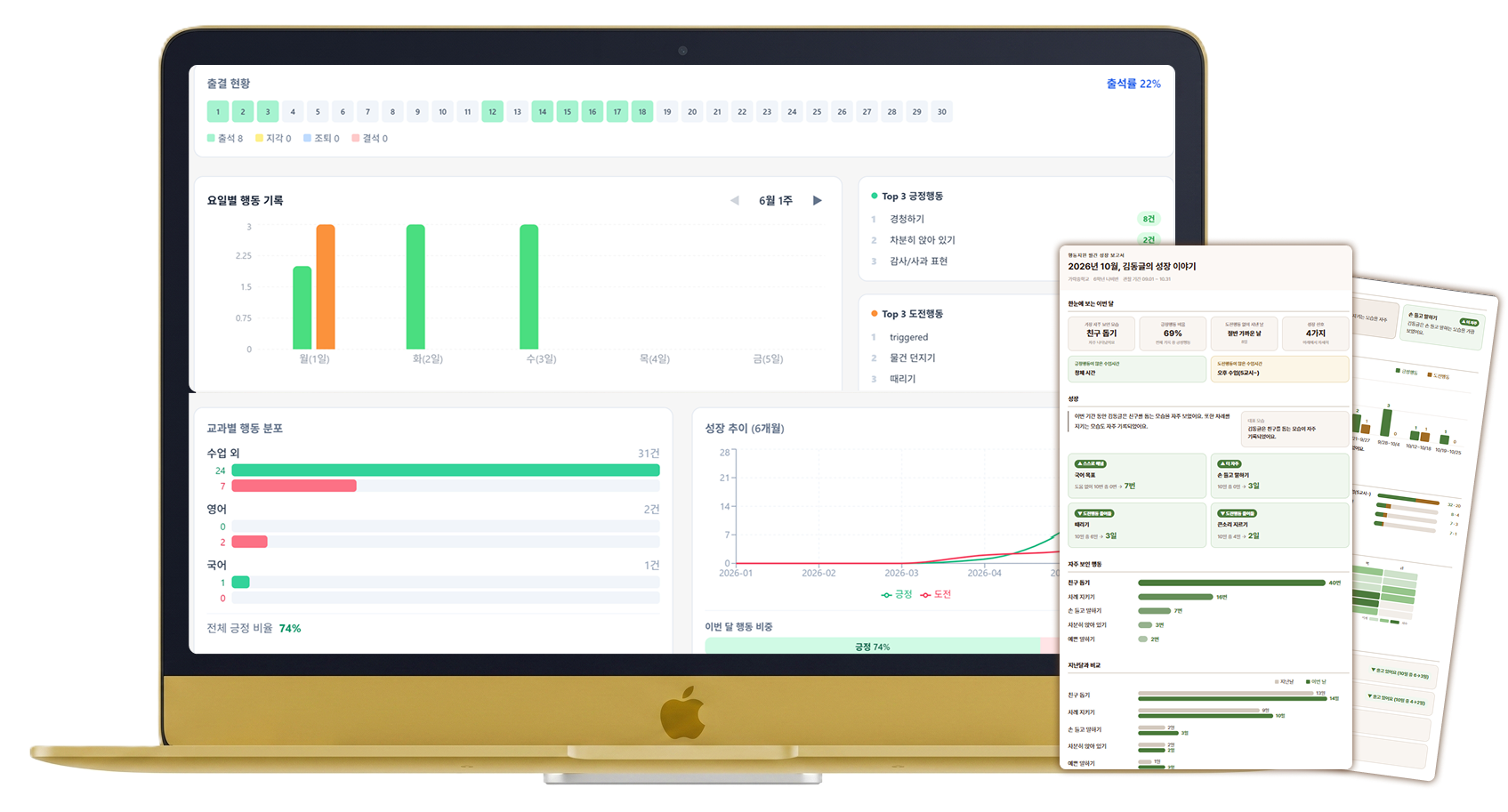
Behavior Analysis
Records become insights and reports!
- Auto-analyze behavior patterns and antecedent-consequence relationships
- Auto-generate growth reports for each student
- Understand context through day and subject distribution
We send free NFC cards for each student
Why Peering?
The only EdTech chosen by special ed teachers
See how Peering transforms your Excel and paper workflow
Old Way (Excel / Paper)
Over 1 hour for timetables
Manual layout in Excel/paper
Manual reassignment on absence
Phone calls to find substitutes
Paper-scattered behavior records
Extra time for reports
Logging behaviors after work
Scattered entries from memory
Collecting timetables one by one
Contacting each homeroom teacher
Peering
Timetable done in 10 min
Auto-assign with a few clicks
Auto reassignment on absence
One click to assign substitute
Auto record via NFC tap
Behavior reports generated automatically
Real-time in Class Mode
Tag during class → zero after-work
NEIS sync + link collection
One upload, auto-mapped
How to Start
How to Get Started
Timetable
50% off for personal payment
- Available on S2B
- IceCream Mall / Gmarket
- ₩12,500/mo for personal payment
NFC Card Record
NFC cards included
- Auto behavior recording via NFC
- Behavior analysis report
- Class shop (reward system)
FAQ
Have questions?
Peering is a classroom manager solution for special education teachers. It provides timetable creation, NFC card behavior recording, student behavior analysis, and class store — all in one.
Yes, the card behavior recording feature is completely free. When you apply as a beta teacher, we send NFC cards for each of your students at no cost.
Yes, it is available on School Marketplace (S2B), IceCream Mall, Gmarket, and SmartStore for easy adoption with school budget.
Simply tap a student's NFC card on your phone, and preset behaviors are automatically recorded. No extra app interaction needed — just tap and done!
Yes, you can auto-import NEIS timetables, and regular class schedules can be received via shared links or uploaded files with auto-mapping.
Finish during class, leave on time
Web & mobile · EDUZIP registered